CSS delivery modes (inline vs external CSS)
An article that explains you how all delivery modes inside of Consent Studio work
Last updated About 2 hours ago
CSS delivery modes in Consent Studio
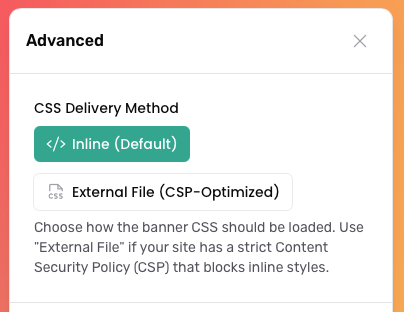
The CSS delivery method setting determines how the banner CSS is loaded on your website. By default, Consent Studio uses the Inline delivery method. In this mode, the banner styling is injected directly into the page using a <style> tag. This provides a simple setup and allows the styles to load immediately.
If your website uses a strict Content Security Policy (CSP) that blocks inline styles, you can switch to External File. In this mode, the banner CSS is loaded through a separate stylesheet file instead of being embedded directly into the page.
How do I change this?
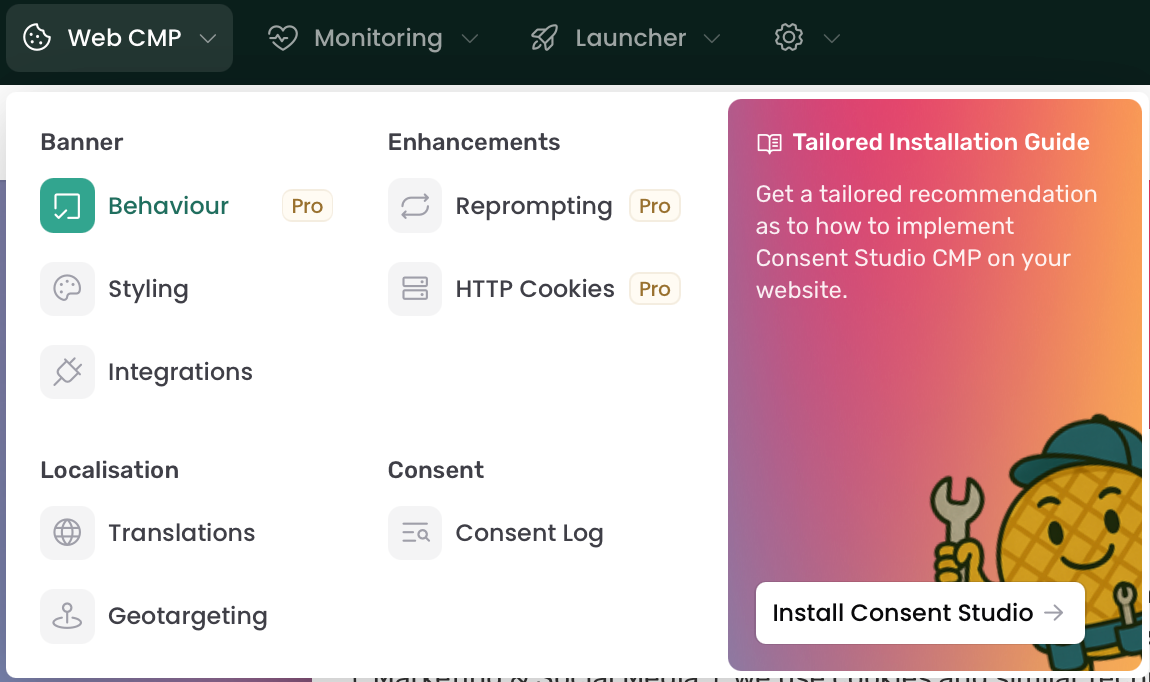
Navigate to Web CMP > Behaviour.
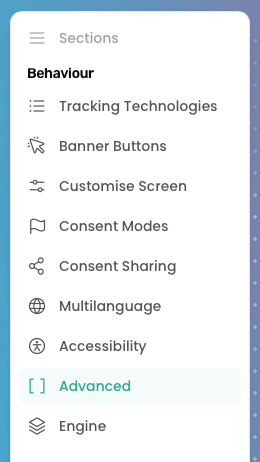
On this page, open the Advanced section in the consent banner editing canvas.
Here you select which delivery method you want to use. These are the options available:
After selecting your preferred mode, don’t forget to Save & Publish.
Still need help? Ask the team