Wix Consent Policy API
How to integrate with the Wix Consent API in Consent Studio
Last updated 18 days ago
Using the Wix Consent Policy API with Consent Studio as your consent management platform (CMP) of choice
How is consent processed?
When a user grants functional (cookie) consent through the Consent Studio banner on your website, we will submit a true signal for the essential and functional categories in the Wix Consent Policy API.
When a user grants analytics (cookie) consent through the Consent Studio banner on your website, we will submit a true signal for the analytics category to the Wix Consent Policy API.
When a user denies analytics (cookie) consent through the Consent Studio banner on your website, we will submit a false signal for the analytics category to the Wix Consent Policy API.
When a user grants marketing (cookie) consent through the Consent Studio banner on your website, we will submit a true signal for the marketing and dataToThirdParty categories to the Wix Consent Policy API.
When a user denies marketing (cookie) consent through the Consent Studio banner on your website, we will submit a false signal for the marketing and dataToThirdParty categories to the Wix Consent Policy API.
Which default signals are given on page load?
By default, we will respect the Default Consent Values as configured on your website for this integration. You can choose between Denied (opt-in) and Granted (opt-out) for each of them.
How to enable this integration?
Open the Consent Studio dashboard and head to the Integrations panel under
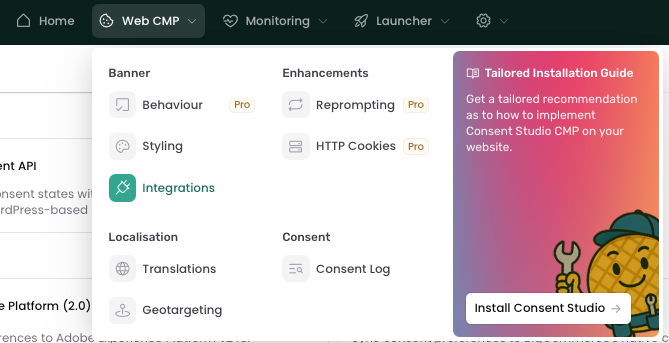
On this page you will be able to view all available integrations. Toggle the WP Consent API by clicking on the toggle in the right top corner of the integration card. Enabled integrations are shown under Active Integrations, higher up the page.
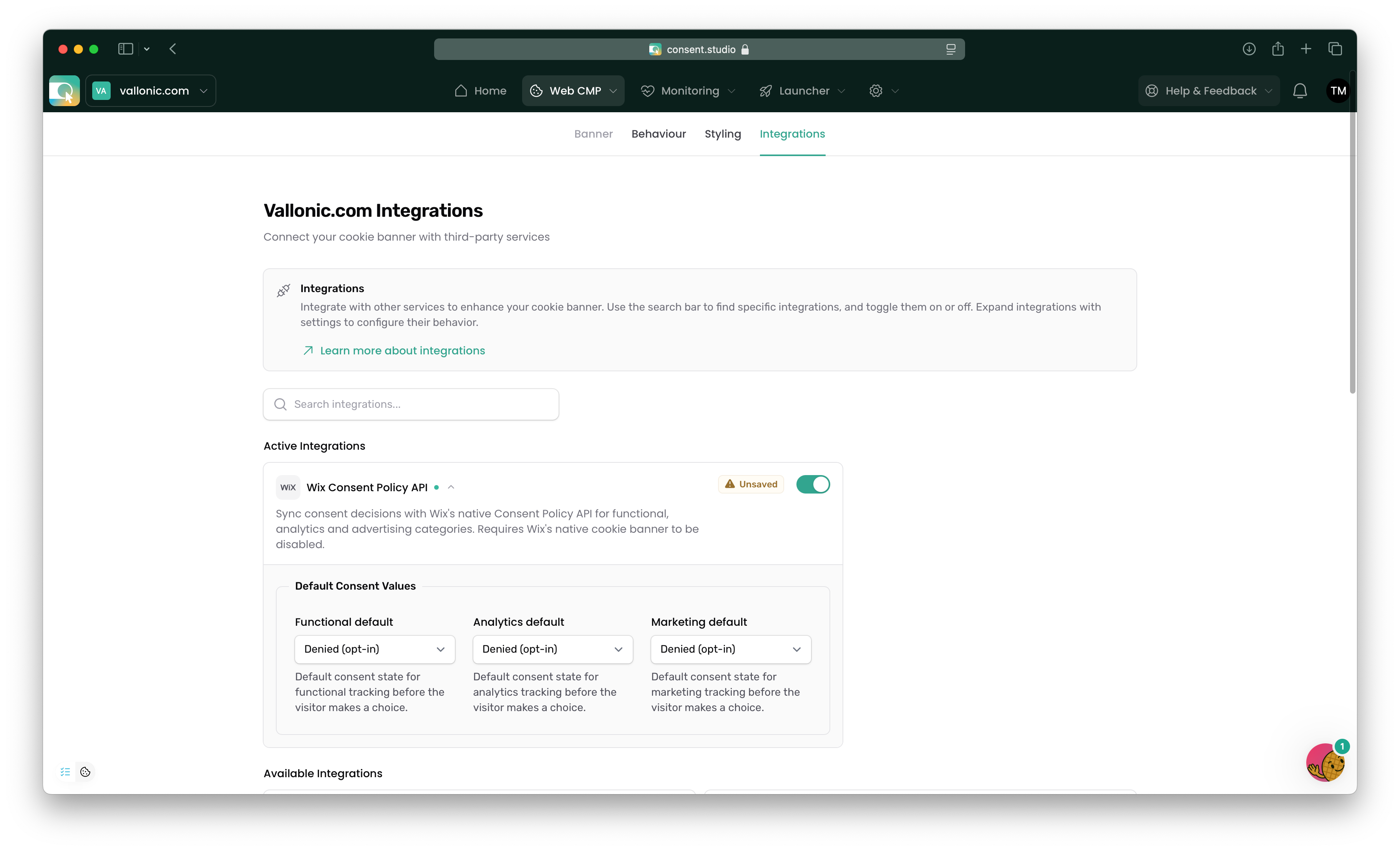
Some active integrations can be expanded to configure specialised settings.
Don't forget to save your changes by clicking the Save changes button at the bottom of the page.