How to add more languages to your banner
A article that explains how you can add languages to your banner
Last updated 18 days ago
How to configure your Consent Studio CMP consent banner in multiple languages
You can add more languages to the banner of your website to provide translations for your visitors. That way, users can view the content in their preferred language. This article will explain how you can do that.
Adding languages to the banner
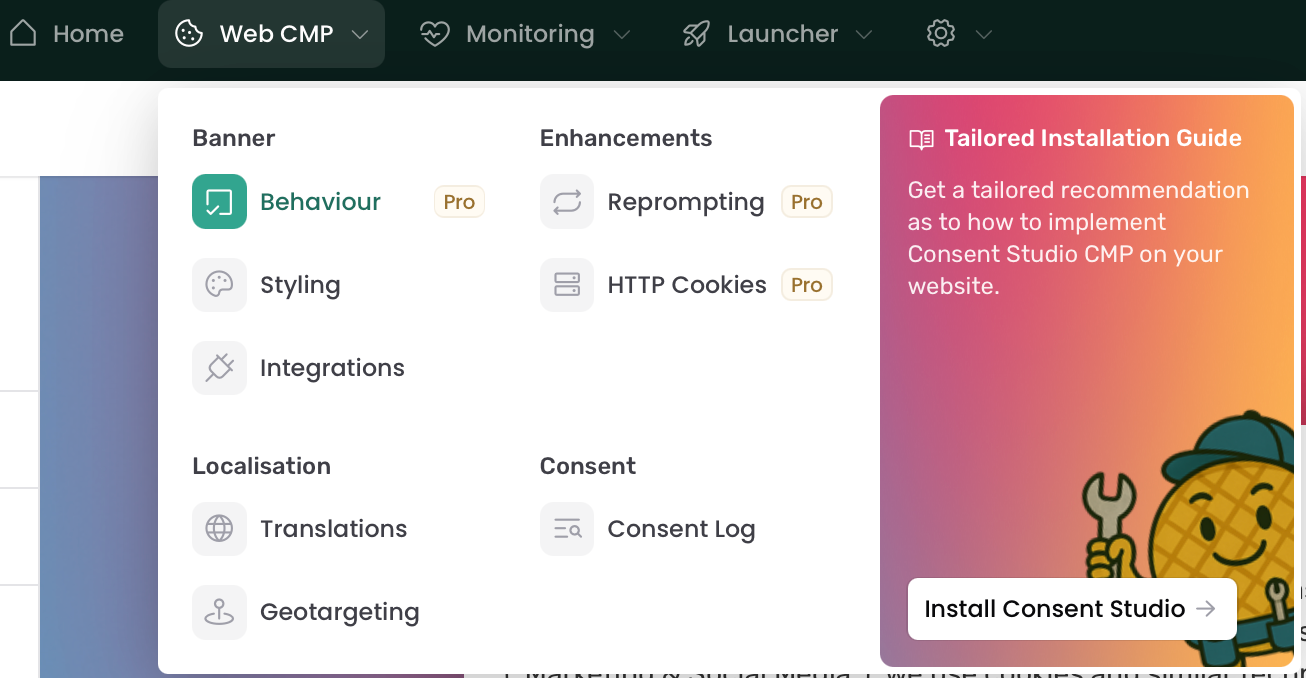
You can easily add or remove languages for your banner. To do this, go to Web CMP > Behaviour.
On this page, open the Multilanguage tab. From here on you can add or remove languages.
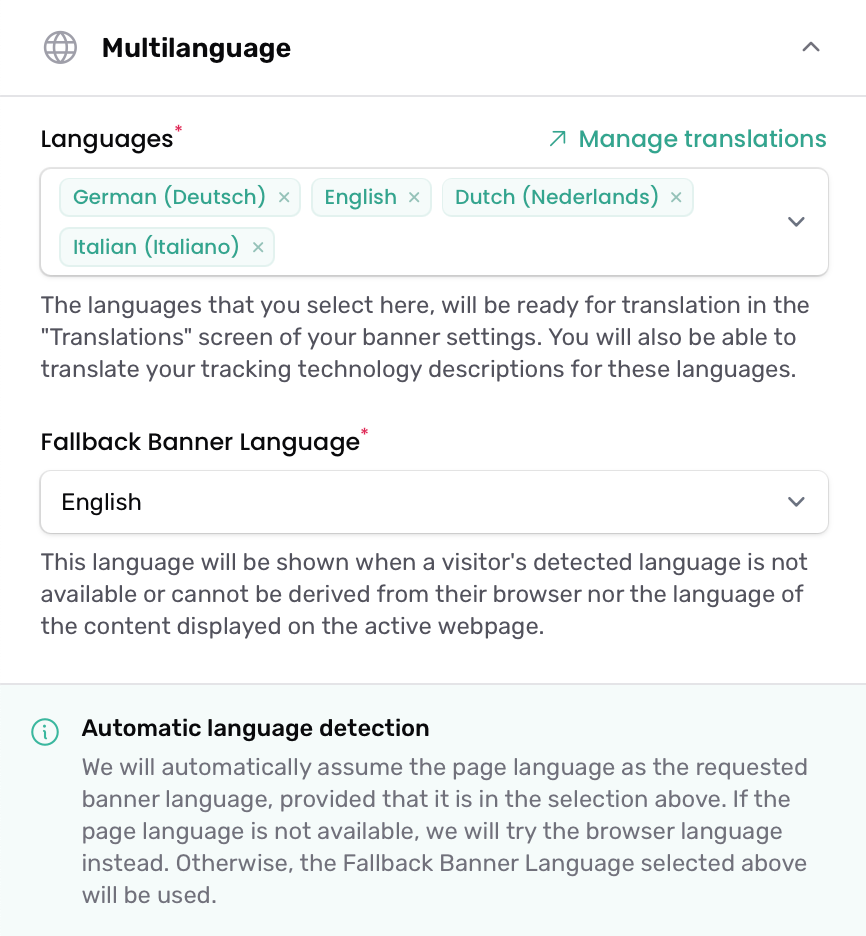
After adding or removing languages, make sure to click Save & Publish in the bottom left corner.
Managing copywriting
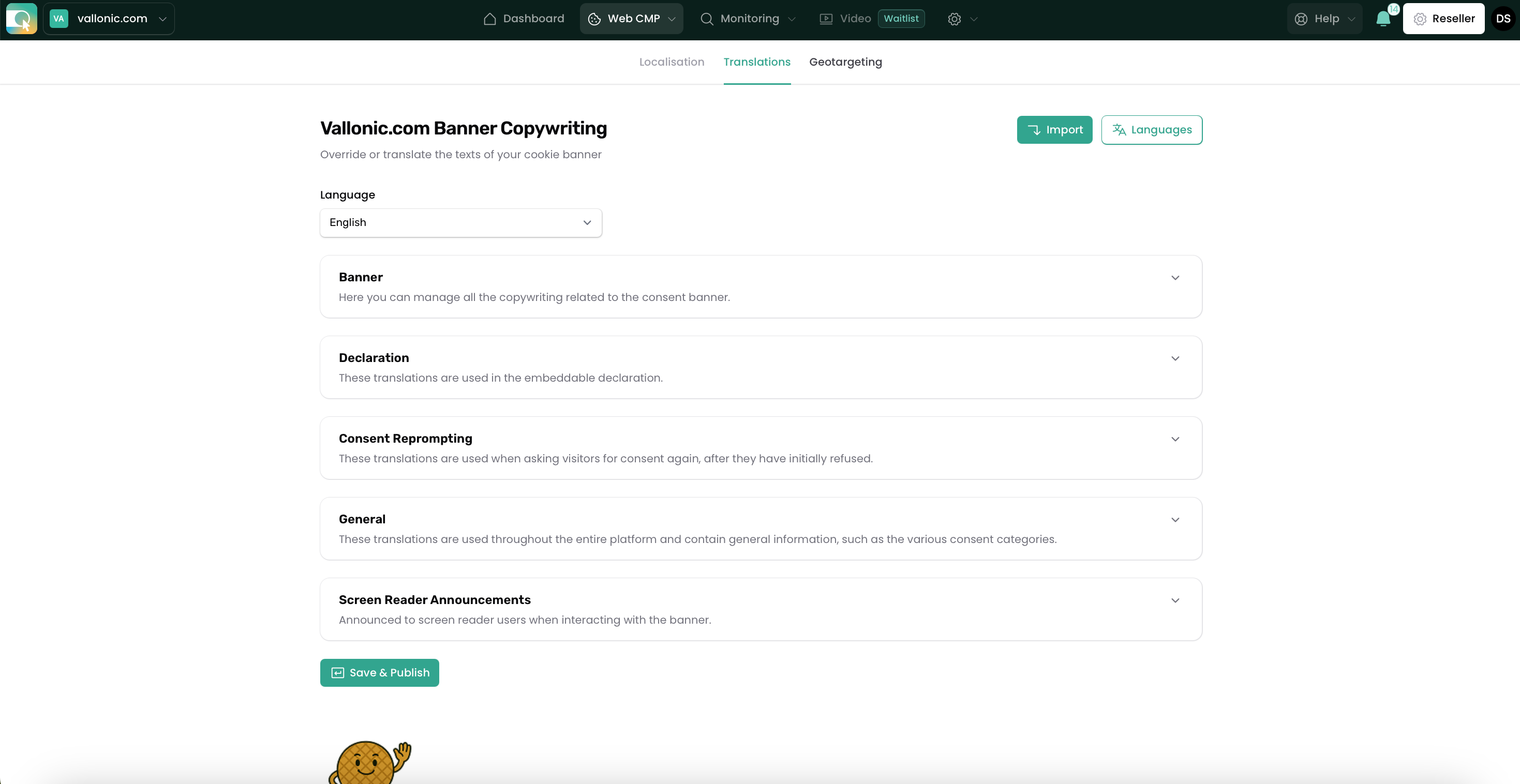
You can manage copywriting by going to Web CMP > Translations in the top bar. In here you'll see a tab for each language you have added in the multilanguage section.
Inside of each language there are five sections:
Banner
Declaration
Consent Reprompting
General
Screen Reader Announcements
In each section, you can edit the texts related to that specific part.
Some languages have predefined translations. In the case that we cannot find a suitable translation for a requested language, we will always default to English as fallback. In the case that English is not within your provided language selection, we will use our own default texts.