Inviting collaborators to manage your domain
Invite colleagues, partners and advisors to collaborate on your domain
Last updated 18 days ago
Collaborating on a domain in the Consent Studio Dashboard
You can collaborate on domains in Consent Studio with colleagues. Every collaborator has their own user account and can have different access rights.
There are two paths that allow you to invite a collaborator.
Via the Dashboard homepage
Via the dedicated Collaborators panel
In the second, the Collaborators panel, you can also manage existing collaborators.
You must have the Can Manage Billing access rights in order to be able to manage another collaborator's permissions or to invite a new one.
How to invite a collaborator to your Consent Studio CMP project via the Dashboard homepage
Log in to the Consent Studio Dashboard and open the context of the right domain via the dropdown in the top left corner of the page.
On the right page, scroll down until you view the Add Collaborators block.
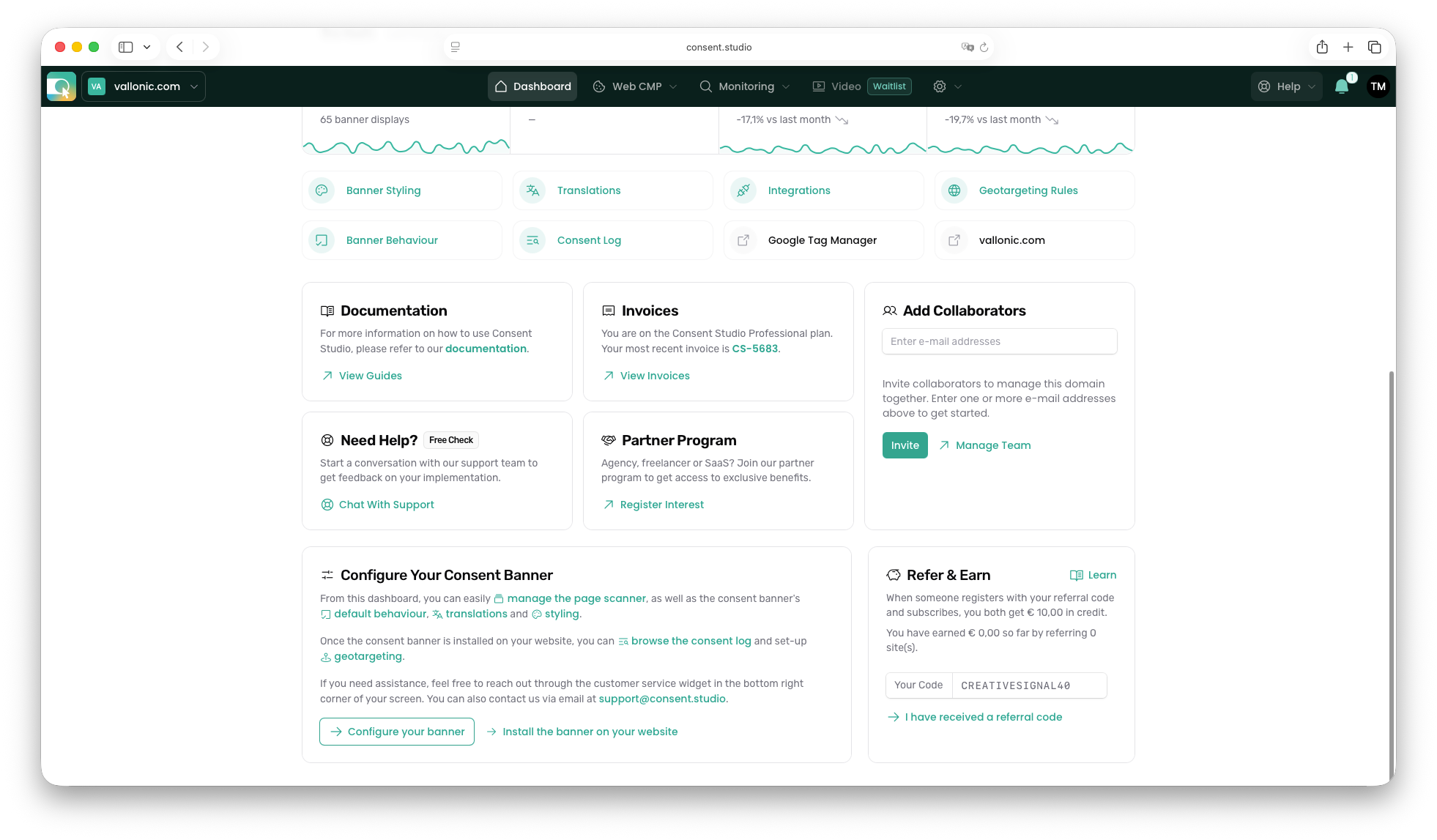
Enter the e-mail address of the person(s) that you would like to invite to collaborate on this domain. Press Enter after each e-mail address to validate.
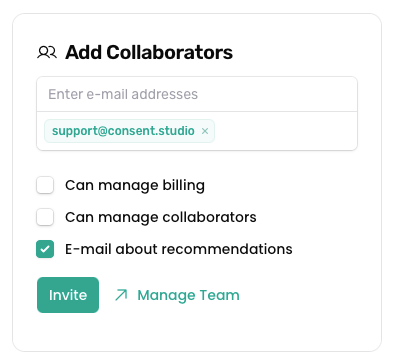
With at least one e-mail address listed, you can select which permissions to grant.
How to invite a collaborator to your Consent Studio CMP project via the Collaborators panel
In the topbar, click the Cog icon to open the domain management dropdown menu.

Click Collaborators to navigate to the collaborators overview panel.
This overview may look as displayed below.
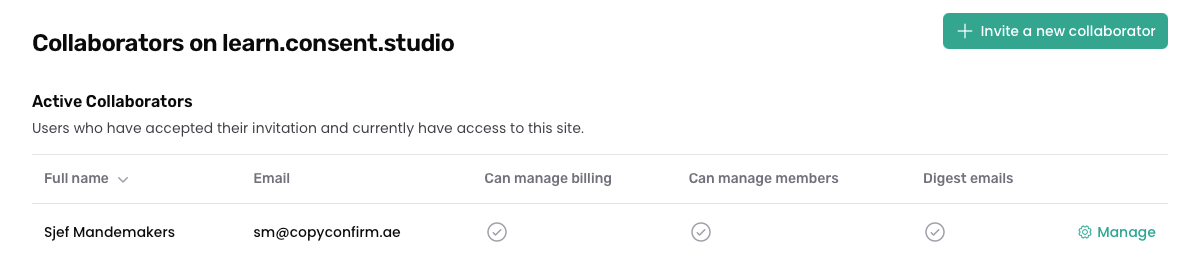
Click Invite a new collaborator in the top right corner to invite a new collaborator to your project.
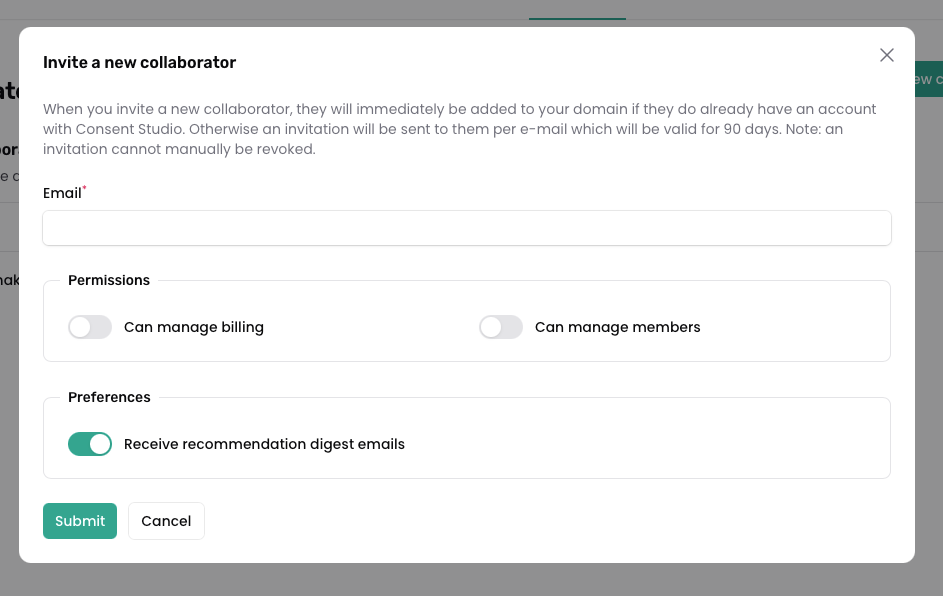
Click Submit to send the invitation to this person.
Revoking pending invitations
In the same Collaborators panel as explained above, you will see the Pending Invitations overview, given that you have any.
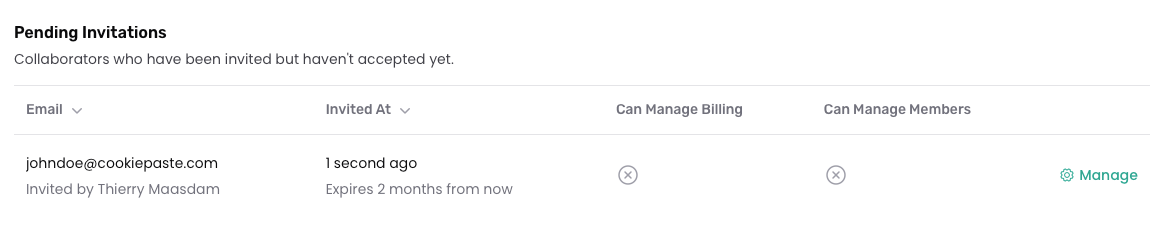
If you would like to revoke any pending invitation, use the Manage dropdown menu to reveal the Revoke button.
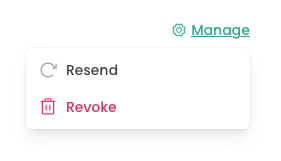
Click it and confirm to revoke the invitation.