Changelog

Follow new updates and improvements to Consent Studio.

New Banner Editing Experience
Hi there,

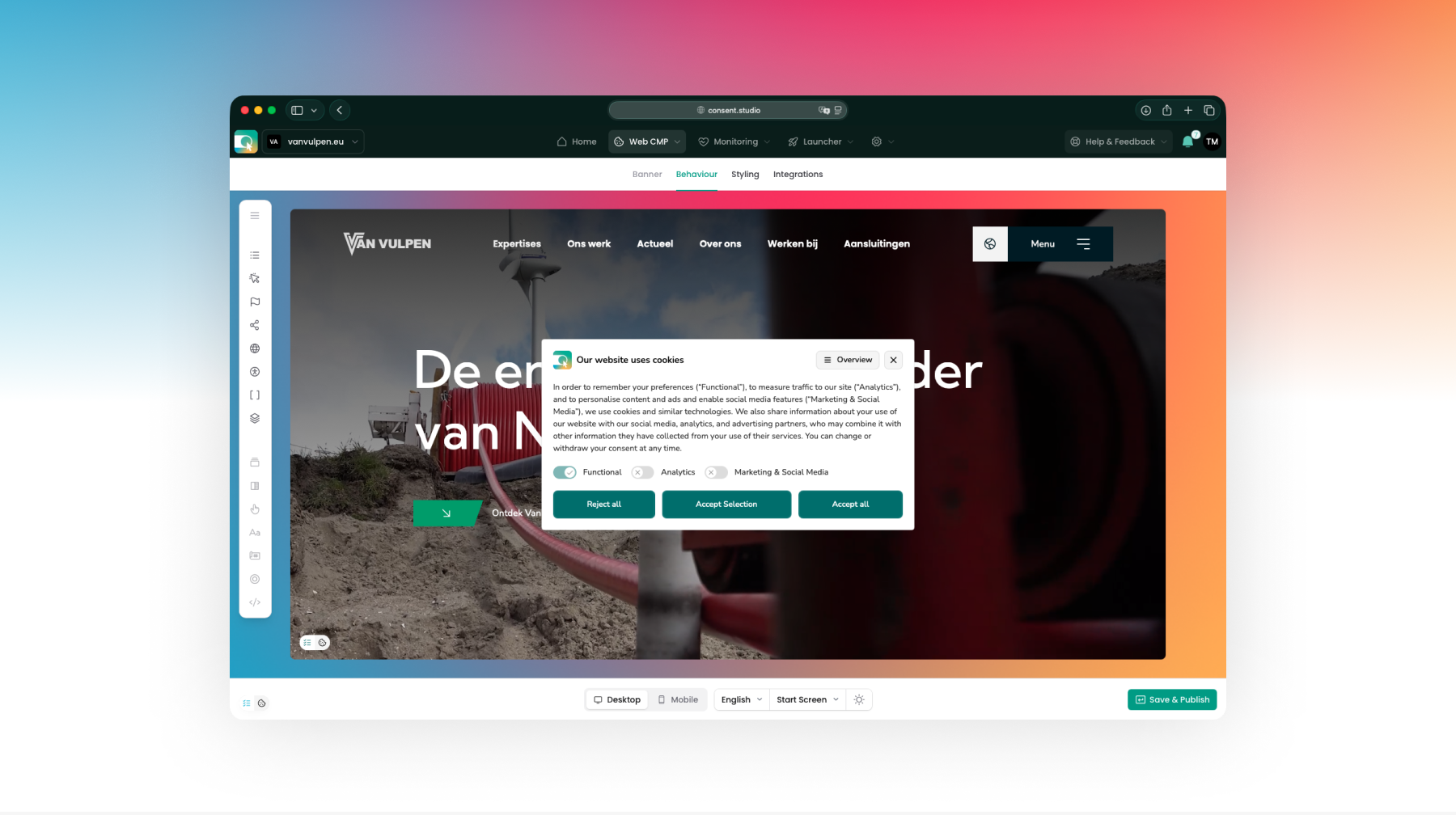
We’re excited to share with you that we have rebuilt the consent banner editing experience in Consent Studio.

You can now preview how your website and your consent banner will work together as accurately as possible on both desktop and mobile, and spot styling conflicts before your website’s visitors do.

(After all, helping you to be the first to know what’s up, is what Consent Studio is all about!)
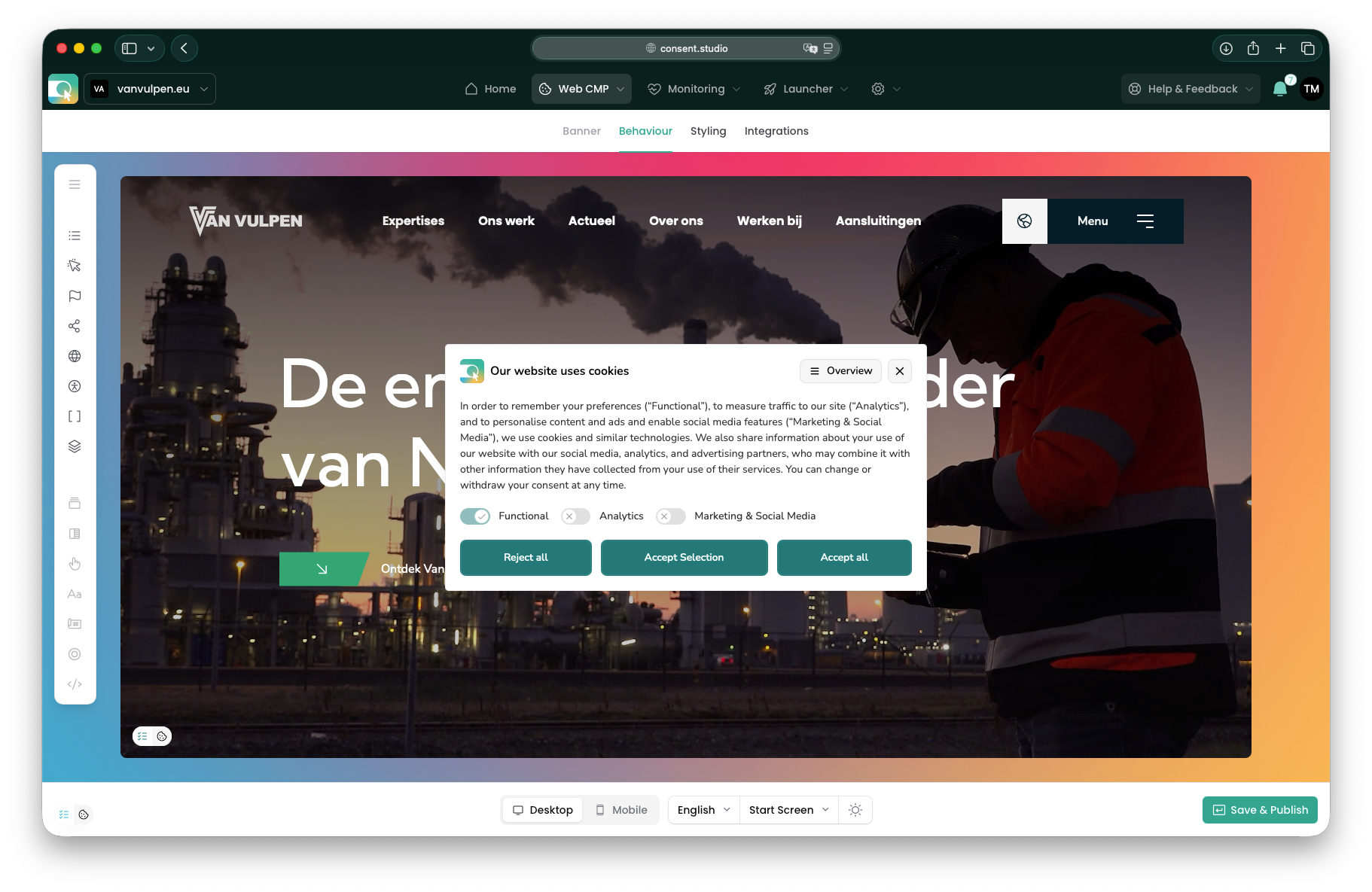
To help you discover all the compliance settings in your Consent Studio Web CMP banner’s arsenal, we have also made it easier to switch between Behaviour and Styling settings and see what’s where.

Rest assured: you can still preview languages, screens (start screen, overview) and color modes (light, dark, auto).

We are really eager to learn from your first experiences with this new editing experience and look forward to receiving your feedback.

Thank you for your time and for your trust in The Full Consent Stack!

Improved

Invitation: Meet Consent Studio in Amsterdam at Digital Analytics Summit 2026

— Consent Studio is a Gold Sponsor of this event because we want to make the knowledge shared more accessible to you, our valued relations. We are not involved with the organisation and we do not earn from your ticket purchase.

On 1 October 2026, the fifth edition of the Digital Analytics Summit takes place at Hotel Casa Amsterdam.

In just one day you get up to speed on the latest national and international developments in digital analytics, learn from leading specialists in the field, and discover how data, AI, privacy and experimentation are shaping the future of digital decision-making.

Consent is no longer a footnote in analytics. It decides what you are allowed to measure in the first place, so this is exactly the room we want to be in!

Speakers

At DAS 2026, you will have the opportunity to hear what experienced professionals at organisations like Univé, Philips, Just Eat Takeaway.com, Autoriteit Persoonsgegevens, Praxis, Odido, Vattenfall and more are up to.

You are invited

Whether you are a customer, a partner, or simply curious how consent fits into your measurement setup, come find us. We are happy to talk through what you are running into and show you what we have been building.

That’s why we would like to offer you a 20% discount on your ticket.

Who you will meet

  • Etienne Korf (NL, EN)
    Head of Partnerships

  • Thierry Maasdam (NL, EN)
    Head of Product

  • Emma Trip Fabara (EN, FR, ES)
    Business Development Lead

Practical Details

We look forward to meeting you in-person!

OpenAI Pixel: Consent API + Launcher Tag

Hi everyone,

More and more advertisers are measuring results from ChatGPT Ads with the OpenAI Pixel - especially with OpenAI launching ads in Europe.

From today, Consent Studio can apply your visitors' consent decisions to it.

Integration for Web CMP

The OpenAI Pixel grants consent to itself by default, so without a consent management platform in front of it, it starts measuring before your visitor has made a choice (!).

The new OpenAI Pixel Consent API integration in Consent Studio Web CMP puts a stop to that. It withholds consent for first-time visitors, grants it as soon as marketing consent is given, and revokes it again when consent is declined or withdrawn.

You will find OpenAI Pixel Consent API under Integrations in the Web CMP dropdown. Toggle it on and click Save & Publish.

Tag template additions for Consent Studio Launcher

If you use Consent Studio Launcher, our client-side tag manager, it’s good to know that there are two new templates readily available for you:

  • The OpenAI Pixel template to install the pixel

  • The OpenAI Pixel Event template to send measurement events such as orders and leads

Both work with the integration mentioned above straight away, and the Launcher tag takes care of the consent setup for you.

Consent Studio Monitoring is ready too

Consent Studio now also recognises the pixel's tracking technologies, so they are described automatically in your consent banner and declaration.

Finally

Full setup instructions, including the one line to add if you installed the pixel manually or through Google Tag Manager can be found here.

As always, if you have any questions or run into anything unexpected, our support team is happy to help.

The Consent Studio team

New

Earlier updates