Share consent across domains and subdomains
How consent can be shared across multiple domains
Last updated About 7 hours ago
Share consent across your domains, subdomains and services
With consent sharing, a visitor who made a choice in your consent banner is not asked again when they move on to another domain or service of yours. Their choice travels with them, so your visitors see fewer banners and your measurement keeps working across the whole journey.
Consent Studio offers three ways to share consent:
Subdomains: share consent between your domain and its subdomains, for example
example.comandshop.example.com.Connected domains: share consent between different domains that you use Consent Studio on, for example
example.comandexample-clinic.com.Services: share consent with your own page at a booking or other platform, for example your booking page at Clinicminds.
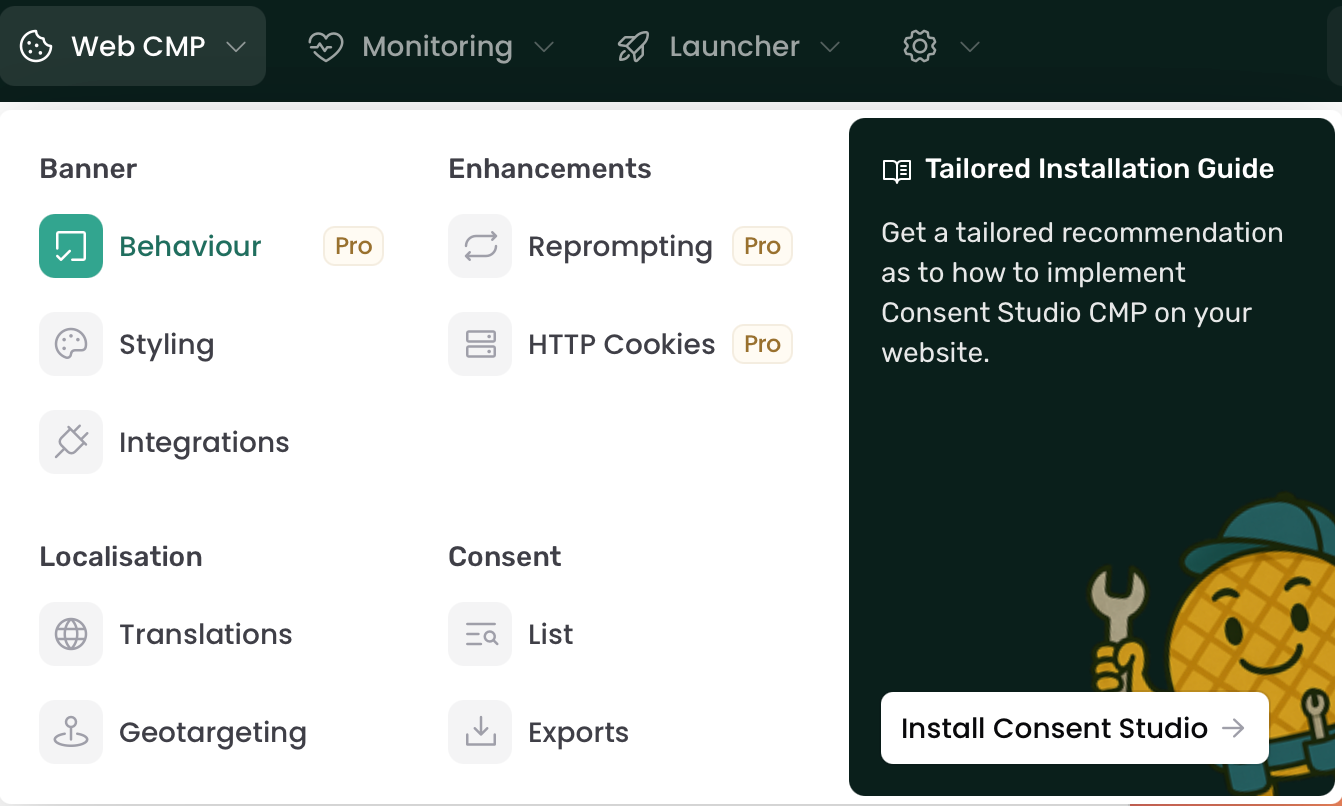
You manage all three in the same place: in the Web CMP dropdown menu, go to Behaviour and open the Consent Sharing section in the left hand sidebar.
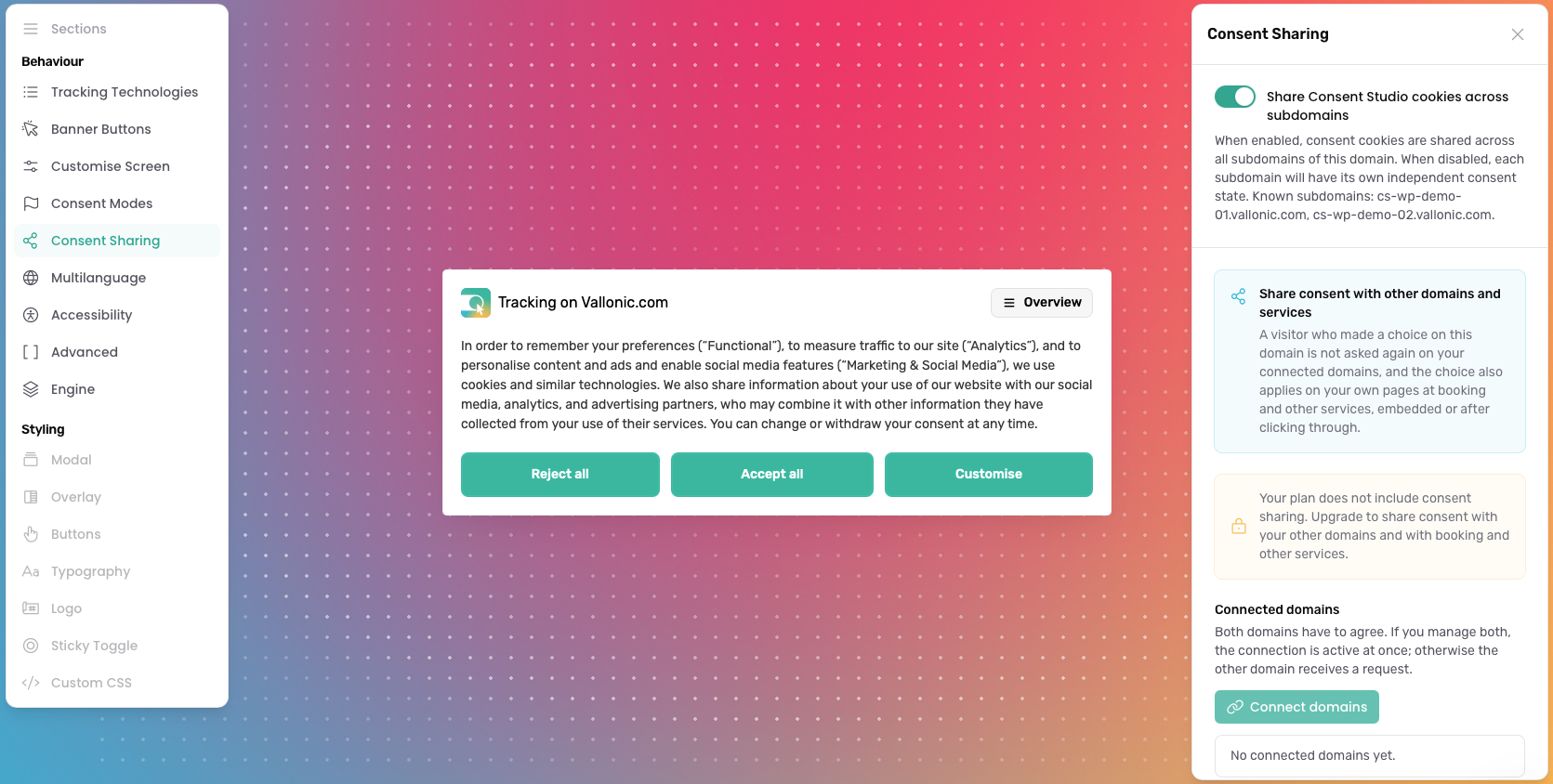
Connected domains and services work with banner version 2. If your domain still uses version 1, the Consent Sharing section tells you to switch to version 2 first.
Subdomains
By default, consent is shared across all subdomains of a domain. A visitor who makes a choice on app.example.com is not asked again on example.com or docs.example.com.
Requirements
Consent Studio must know each subdomain. Add it as a separate domain, or as a domain alias of your main domain.
Each separate domain needs an active Consent Studio subscription. Domain aliases use the plan of their main domain.
The
www.version is always included with your main domain.
Keep consent separate per subdomain
Some organisations want each subdomain to have its own consent, for example when europe.example.com and us.example.com serve different audiences or have different privacy policies.
In the Web CMP dropdown menu, go to Behaviour.
Open the Consent Sharing section.
Under Subdomain Consent Isolation, switch off Share Consent Studio cookies across subdomains.
Click Save & Publish.
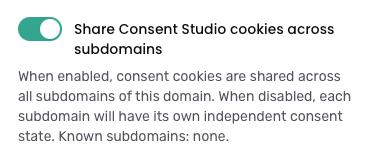
When this is switched off:
On a subdomain such as
app.example.com, consent is only stored for that subdomain.On a main domain such as
example.com, consent is only stored for the main domain itself and is not visible to its subdomains.
Good to know:
On a subdomain that is added as its own domain, this setting follows the main domain. The toggle then shows which domain manages it.
After you switch from shared to separate, returning visitors are asked for consent again, because their earlier choice applied to all subdomains together.
Domain aliases follow this setting too. When it is switched off, each domain alias gets its own consent, so visitors are asked for consent separately on each alias.
Connected domains
Connect domains that belong together, for example the website of a group and the websites of its locations. A visitor who makes a choice on one domain and then clicks a link to a connected domain is not asked again there.
How to connect domains
In the Web CMP dropdown menu, go to Behaviour and open the Consent Sharing section.
Under Connected domains, click Connect domains.
Choose one or more domains under Domains you manage, or type a domain under Another domain.
Click Connect.
Click Save & Publish. Your changes in this section only take effect after you save.
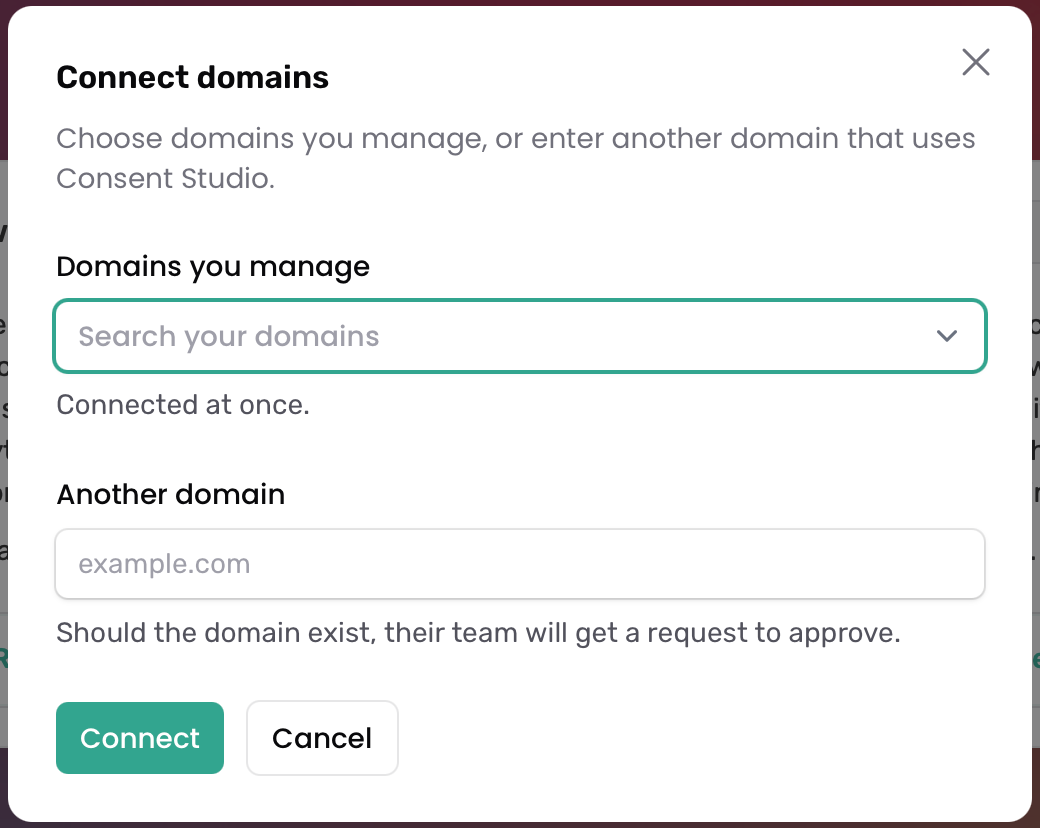
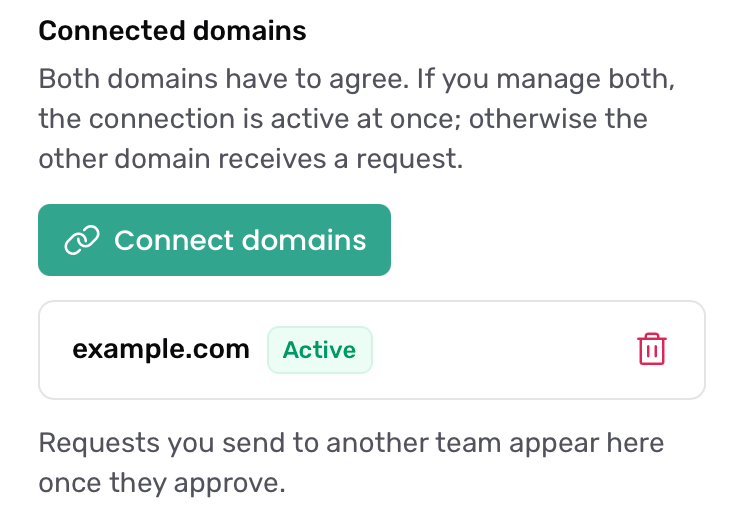
What happens next depends on who manages the other domain:
You manage both domains: the connection is active straight away.
Another team manages the other domain: if that domain uses Consent Studio, its team gets a request to approve. Your request appears in your list once they approve it.
Both domains need a plan that includes consent sharing. In the Domains you manage list, a domain without it is marked as (plan without consent sharing).
Approve a request from another domain
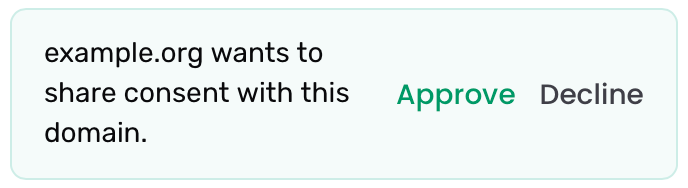
When another domain asks to share consent with yours, you see the message "[domain] wants to share consent with this domain." under Connected domains.
Click Approve or Decline.
Click Save & Publish.
Stop sharing with a domain
Click Remove next to the connected domain, then click Save & Publish. Until you save, you can click Undo to cancel the change.
What your visitors experience
Clicking a link to a connected domain: the connected domain takes over the choice and stores it as its own consent. The consent log of that domain records where the choice came from.
A page of a connected domain embedded on your site: the embedded page follows the choice made on your site during that visit, including changes the visitor makes.
The visitor already made a choice on the connected domain: that choice stays. Only consent the visitor withdraws later on your domain is also withdrawn there. Consent given on one domain never overrides a refusal on the other.
Services
Many businesses send visitors to their own page at a booking or other platform, where the conversion happens. With a service, the choice a visitor made on your site also applies on that page, so bookings can be measured in your own analytics.
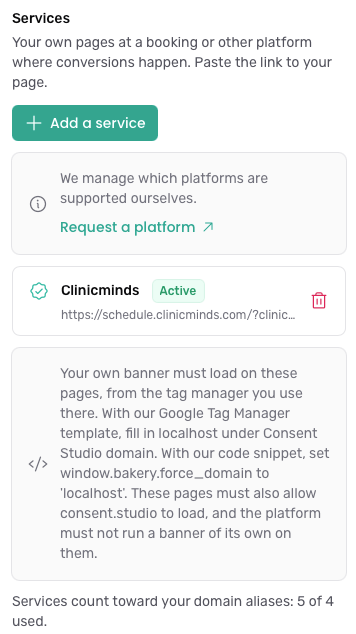
We manage the list of supported platforms ourselves. Is your platform not supported yet? Click Request a platform in the Services part of the Consent Sharing section, or request it on our feedback portal.
How to add a service
In the Web CMP dropdown menu, go to Behaviour and open the Consent Sharing section.
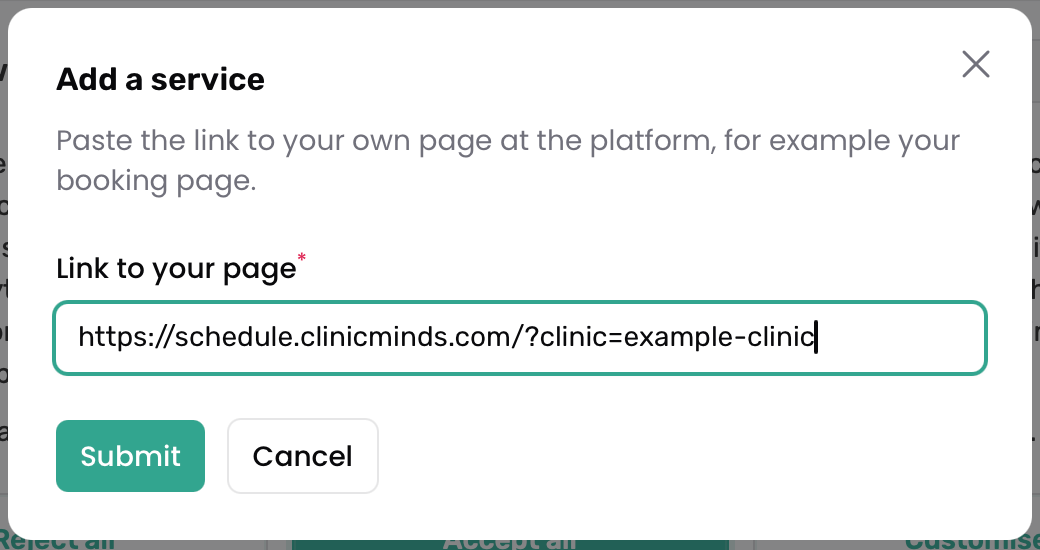
Under Services, click Add a service.
In Link to your page, paste the link to your own page at the platform, for example your booking page. Use the full https link as it appears in your browser.
Click Save & Publish.
Load your banner on your page at the platform
Your own consent banner must load on your page at the platform. You do this in the tag manager you use on that page:
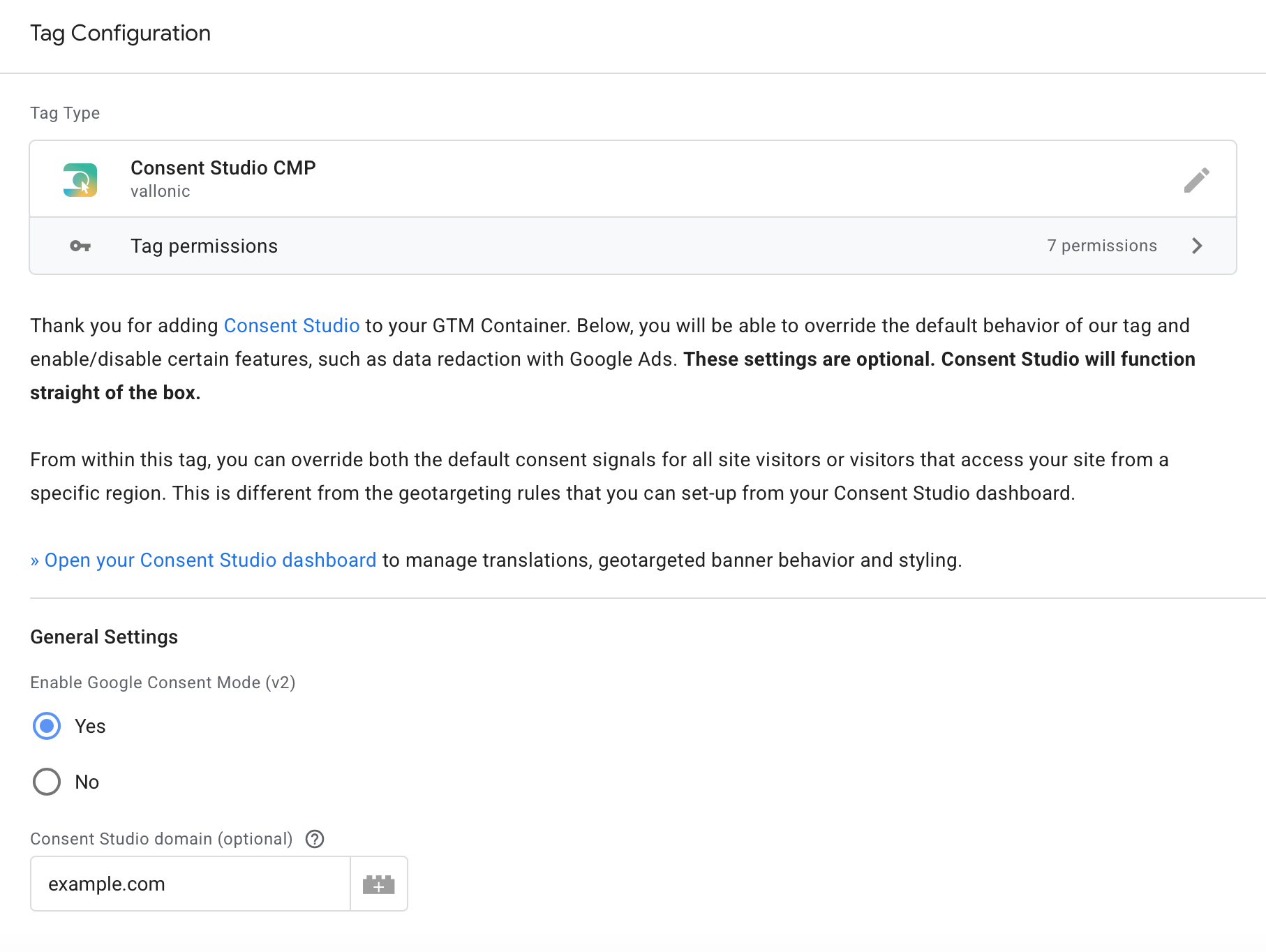
With our Google Tag Manager template: fill in your domain in the Consent Studio domain field. See Google Tag Manager: How to Install Consent Studio.
With our installation code: set
window.bakery.force_domainto your domain, for examplewindow.bakery.force_domain = 'example.com';
The setup note in the Services part of the Consent Sharing section shows the exact domain to fill in.
Also make sure that:
your page at the platform allows consent.studio to load (see Content Security Policy (CSP));
the platform does not show a consent banner of its own on your page.
What your visitors experience
Your booking page is embedded on your site: the page follows the choice made on your site, including changes the visitor makes.
The visitor clicks through from your site: your banner on the platform page takes over the choice and stores it as your consent.
The visitor opens the page directly: your banner asks for consent, just like on your own domain.
Consent given on your page at the platform is your consent. If the platform also uses Consent Studio on its own pages, its consent and yours are kept apart.
Services and your plan
Each service counts toward the domain aliases of your plan. The Consent Sharing section shows how many you use. Services above the number your plan includes are charged as overage.
What your banner tells visitors
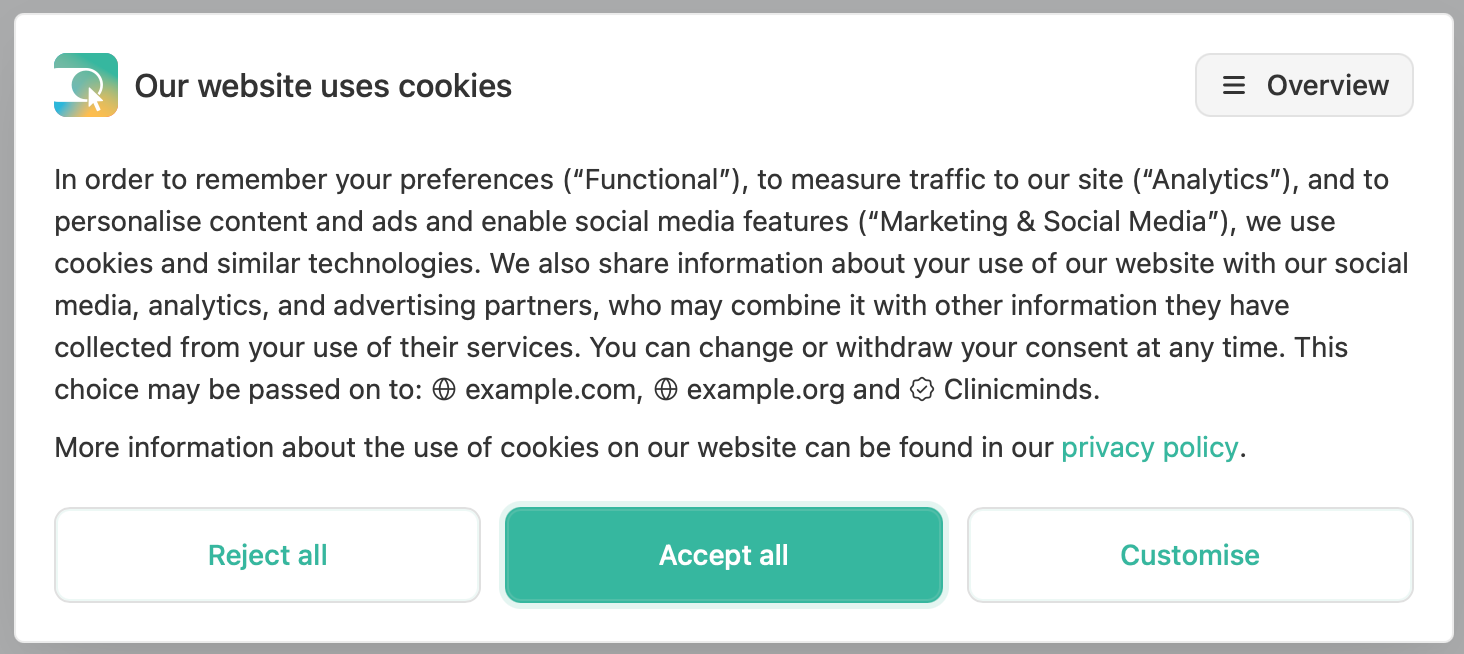
When you share consent with connected domains or services, your banner adds a line that names them, so visitors know where their choice may be passed on to. For example: "This choice may be passed on to: example-clinic.com and Clinicminds." This line is available in all banner languages.
Prefer your own wording?
In the Web CMP dropdown menu, click Translations.
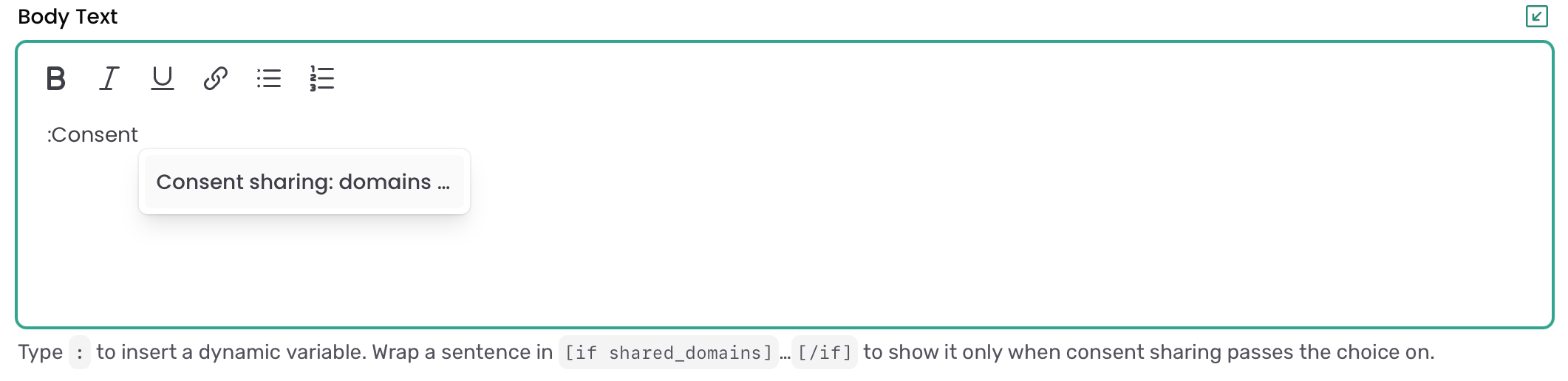
In the Body Text of the banner, type
:and pick Consent sharing: domains and services.To show a sentence only when consent is shared, wrap it in
[if shared_domains]and[/if].
The automatic line is then left out.
Frequently asked questions
The banner shows again on the connected domain. Why?
Check that the connection is marked Active on both domains and that you clicked Save & Publish.
Check that both domains use banner version 2.
Links to the connected domain must send the referring page. Links with
rel="noreferrer", or a site with theReferrer-Policy: no-referrerheader, stop the choice from travelling.
The banner shows again on later pages of my booking flow. Why?
Every page of the flow must keep the part of the link that identifies your page at the platform, for example your clinic number. A page that drops it is no longer recognised as your page.
Can I hide the line about consent sharing in my banner?
You can replace it with your own wording, as described above. Visitors are always told where their choice may be passed on to.
Can I use a domain alias instead?
Use a domain alias for extra hostnames of the same website, such as a staging environment or a subdomain. Use a connected domain for a separate website with its own Consent Studio domain. A link to your own domain cannot be added as a service; add it as a domain alias instead.
Was this helpful?
Still need help? Ask the team